
Stand Up Reminder: A Break Timer for Your Workday
Set multiple daily work periods and a reminder interval, with a large countdown, visible alerts, and optional alarm sound.
Open related tool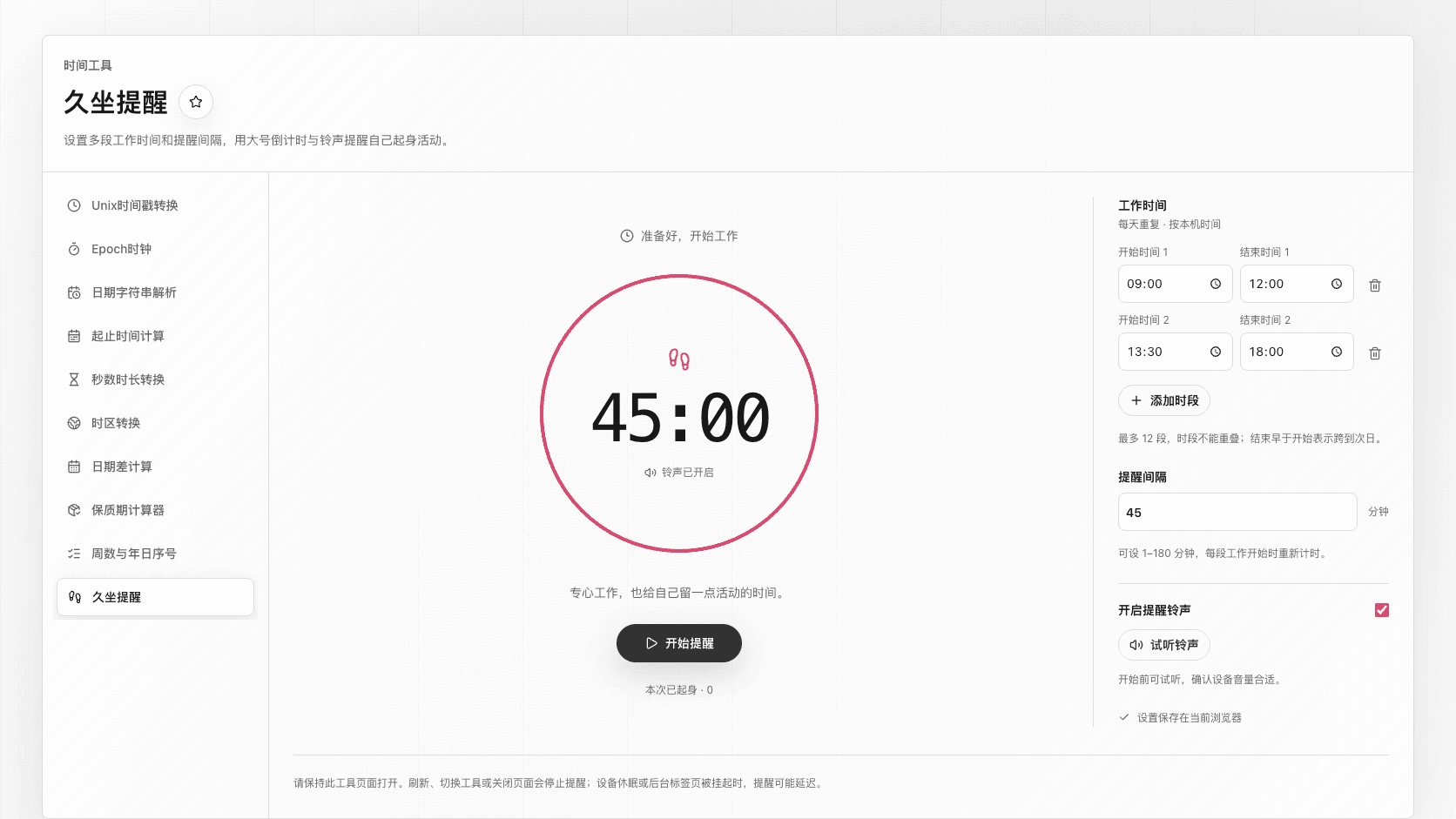
Quick answer
Set multiple daily work periods and a reminder interval, with a large countdown, visible alerts, and optional alarm sound.
Key takeaways
- Set multiple daily work periods and a reminder interval, with a large countdown, visible alerts, and optional alarm...
- Use the toolbox.mom Stand Up Reminder while writing, studying, or working at a desk. Add up to 12 non-overlapping d...
- Choose an interval from 1 to 180 whole minutes, test the sound, and start the reminder. A large 3–2–1 countdown sta...
- When a break is due, a prominent dialog appears and the enabled alarm repeats. When you stand up, tap I’ve stood up...
Use the toolbox.mom Stand Up Reminder while writing, studying, or working at a desk. Add up to 12 non-overlapping daily work periods. Times use your device’s local clock; an end time earlier than its start runs into the next day.
Choose an interval from 1 to 180 whole minutes, test the sound, and start the reminder. A large 3–2–1 countdown starts the session. Each work period begins a fresh timer; lunch and other gaps are quiet. If a period ends before the interval, the display counts down to the end of work instead.
When a break is due, a prominent dialog appears and the enabled alarm repeats. When you stand up, tap I’ve stood up once to silence the alarm and begin your break. Breaks default to 10 minutes and can be set from 1 to 180 minutes. After the break, a full work countdown starts automatically during work hours; otherwise it waits for the next work period. You can also silence this alarm, pause, or stop. Pausing a break preserves its remaining duration. Pausing work preserves the remaining time within the same work period; a new period starts a fresh interval.
Settings stay in this browser without an account. Keep this tool page open. Refreshing, navigating away, or closing the page stops reminders. Sleeping devices and suspended tabs may delay alerts. On return, the timer corrects to the current time without replaying missed alarms. The default 45 minutes is an editable starting value, not health advice.
Frequently asked questions
Will it ring during lunch?
No. Set morning and afternoon as separate work periods and leave lunch out. The next work period starts a fresh timer.
Can I use visual reminders without sound?
Yes. Turn off the alarm sound before starting. The break dialog still appears. When an alarm is already ringing, Silence alarm stops only the current sound.
Why hasn’t my countdown started?
Saving settings does not start a session. Select Start reminders. If you are outside work hours, the timer waits for your next work period after the opening countdown.
Will it remind me after I close the page?
No. Closing the page stops the reminder. Your settings remain saved, but you must start a new session when you return.