
Online Image Crop Tool: Upload, Drag the Crop Frame, and Export
Use toolbox.mom to crop images visually in the browser: upload a picture, adjust the crop frame and corner handles, then export the selected area.
Open related tool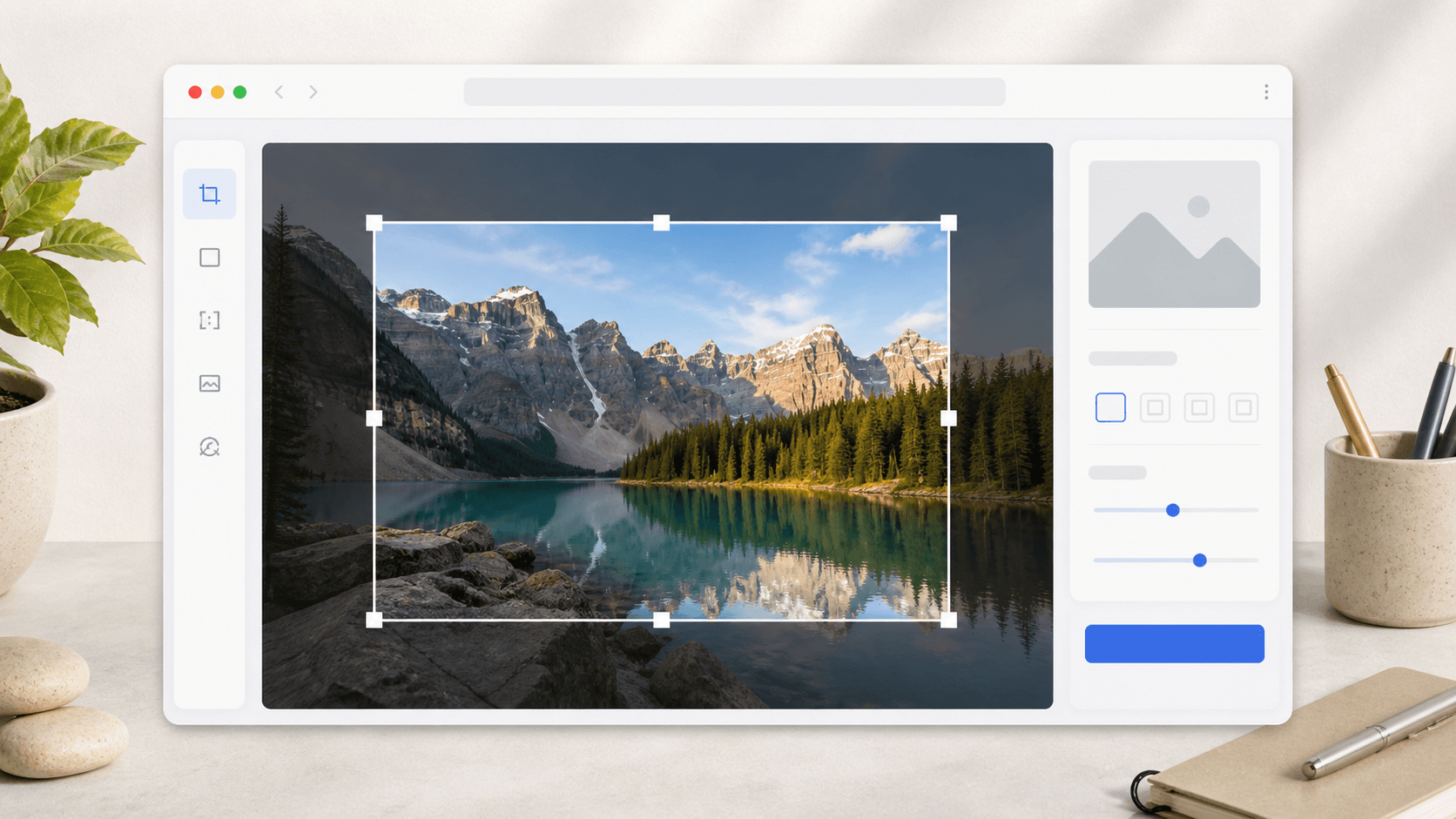
Quick answer
Use toolbox.mom to crop images visually in the browser: upload a picture, adjust the crop frame and corner handles, then export the selected area.
Key takeaways
- Drag inside the crop frame to move the whole selection.
- Drag an edge to change width or height.
- Drag a corner to resize in two directions at once.
- Check the live selected size before exporting.
Image cropping should not require typing x, y, width, and height for everyday work. Most of the time you simply want to remove extra screenshot edges, focus a product image, or keep the most important area of a cover image.
toolbox.mom Image Crop now works visually after upload. You can drag the crop frame directly on the image, move the selected area, adjust edges, and resize from the corner handles before exporting the result.
Why Visual Cropping Works Better
Pixel fields are useful for strict batch workflows, but quick image edits are usually composition decisions. A visible crop frame lets you keep the subject centered, remove noisy borders, and see the final framing before you click process.
- Drag inside the crop frame to move the whole selection.
- Drag an edge to change width or height.
- Drag a corner to resize in two directions at once.
- Check the live selected size before exporting.
Useful Cropping Scenarios
The tool is useful for screenshots, product images, profile materials, blog covers, tutorial images, and quick regions you want to share with a teammate.
You can also combine it with other toolbox.mom image tools: crop the important area, mark it with the Doodle Board, then compress the exported image before sending.
Local Browser Workflow
Common image operations run in the browser, so the workflow stays lightweight: open the tool, upload an image, adjust the crop frame, and export the selected area. No heavy editor is needed for a small crop.