
Developer Online Tools: JSON Diff, Color Converter, URL, and Base64
A practical toolbox.mom guide for GitHub-style JSON Diff review results, a touch-friendly color converter palette, URL encoding, Base64, UUID, regex, colors, and hashes.
Open related tool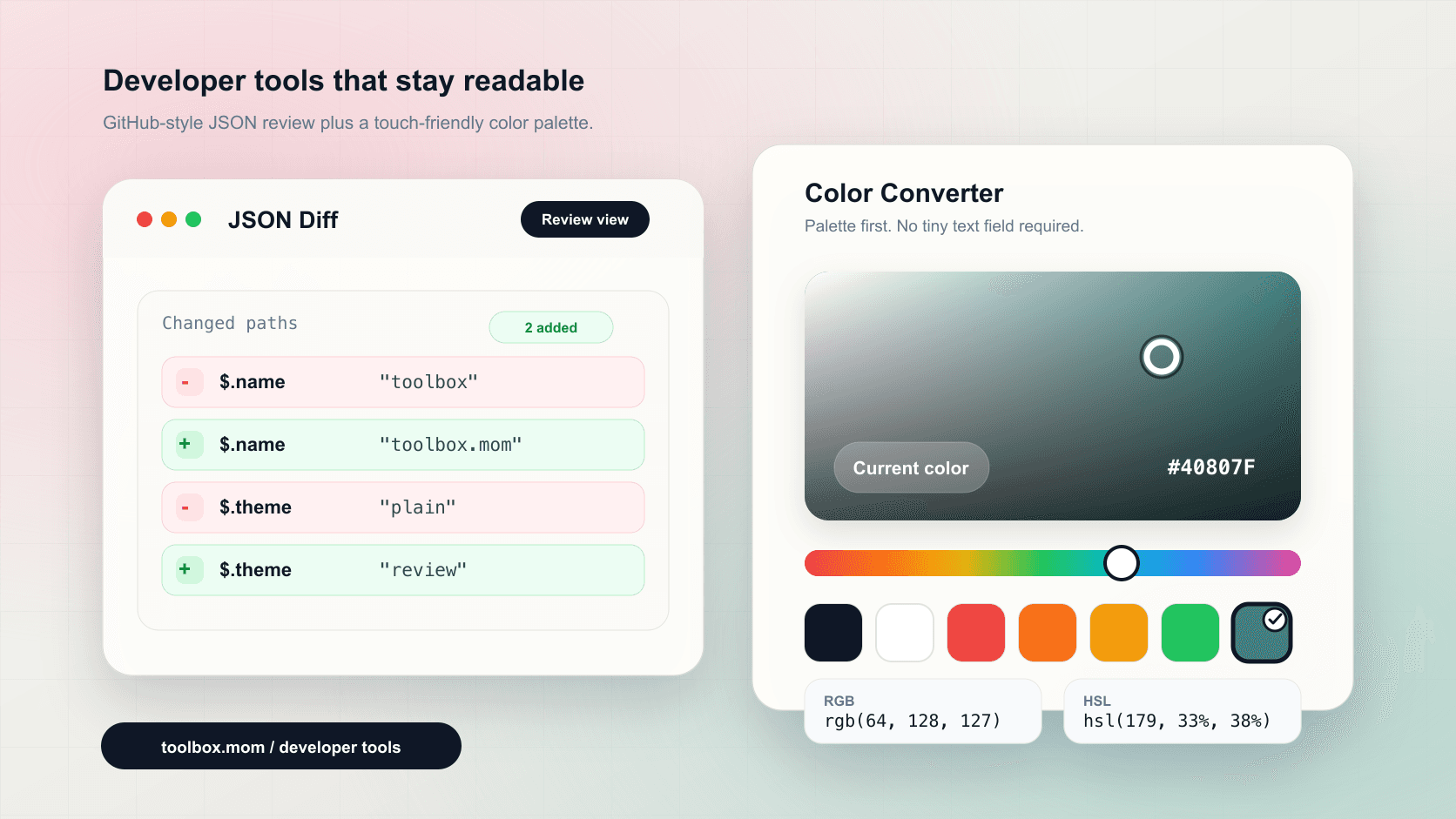
Quick answer
A practical toolbox.mom guide for GitHub-style JSON Diff review results, a touch-friendly color converter palette, URL encoding, Base64, UUID, regex, colors, and hashes.
Key takeaways
- JSON Formatter
- JSON Diff
- Color Converter
- URL Encoder Decoder
Developers constantly handle small utility tasks: format JSON, validate API responses, compare two payloads, encode URLs, decode Base64, generate UUIDs, test regex, or convert a color into HEX, RGB, and HSL.
toolbox.mom Developer Tools keep these helpers in one clean interface. The category includes JSON Diff, JSON Validator, JSON Formatter, URL tools, Base64, UUID, Regex Tester, MD5, Unicode, YAML/JSON conversion, Markdown, colors, and passwords.
This update highlights two frequently used tools: JSON Diff and Color Converter. JSON Diff now presents changes in a GitHub review-style red and green layout, while Color Converter uses a touch-friendly palette instead of making users type a color value.
JSON Diff: review-style changes
The updated JSON Diff view groups differences by field path. Removed values use a soft red background with a - marker, and added values use a soft green background with a + marker. It is easier to scan API responses, config changes, mock data, and version updates without reading through a large raw JSON block.
Color Converter: palette-first selection
The Color Converter now offers a draggable palette, a hue bar, and common swatches. It works with mouse input on desktop and touch input on mobile, then immediately shows HEX, RGB, and HSL output for CSS, design QA, and quick component styling.
Common shortcuts: